
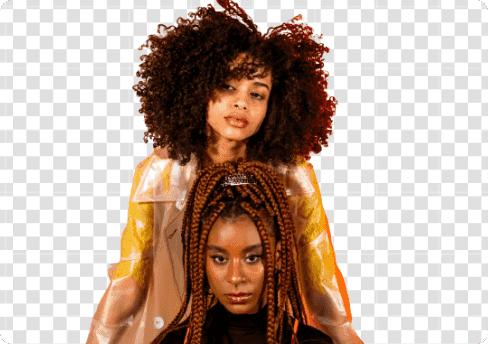
Before
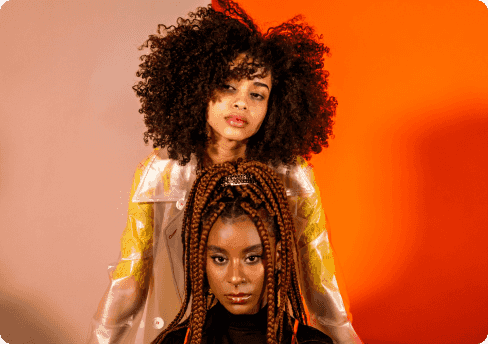
After
Powerful AI for Removing Image Backgrounds
AVAide Background Eraser leverages advanced AI and automated background removal technology to precisely detect even the most complex backgrounds in your photos, capturing fine details such as hair strands, edges, and small objects. It instantly removes the background, making your image transparent without any manual selection. This allows you to save time and effort, whether you're preparing images for e-commerce, social media, presentations, or creative projects.
Choose a Photo Change Picture Background for Any Need
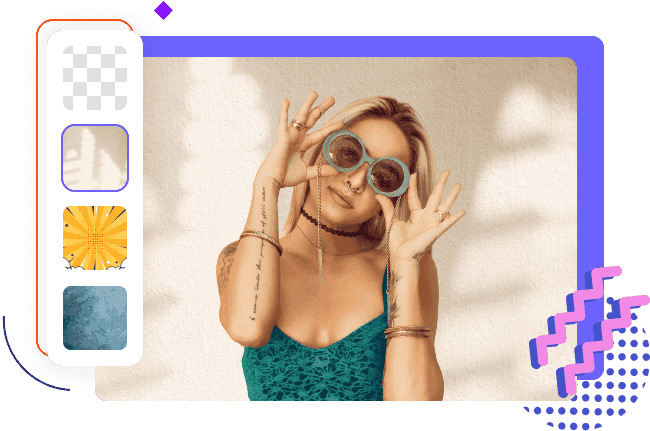
Want to change the background of your profile photos? Try the powerful JPG/PNG/GIF Background Eraser, which can instantly make your images transparent by removing backgrounds with precision. Once the background is removed, you can easily replace it with a solid color or a new background image, giving your photos a fresh, professional, or creative look, perfect for social media, resumes, avatars, or any online profile.
Choose a Photo Frequently Asked Questions
How does the photo background eraser work?
The picture background eraser works by using artificial intelligence (AI) technology and deep learning-backed automatic background removal techniques to deliver instant results and stunning quality.
Is the online background eraser for free to use?
It is 100% free to use. It even doesn't the registration and won't add watermarks to the result.
What formats are supported by the auto background eraser tool?
You can upload JPG, JPEG, PNG, GIF, SVG, BMP, TIFF, etc.
Can I change the background of a picture?
Yes, this BG remover lets you change the background by adding a background color or image.
Do I need to clear the photo background manually with the photo background clearer?
No, our auto picture eraser will automatically remove the image background once you upload your image to AVAide Background Eraser.
How to remove white background from an image?
With AVAide Background Eraser, removing the white background from a photo is easier than even. You just need to pic the image and upload it to our transparent background remover. Then, let AI do the work.
 Background Remover
















 Lincoln Gilmore
 Rio Corbett
 Nia Miles

